
Download InMind 2 APK – VR Brain Simulation, Human Mind Exploration, Educational Game, Strategy Game
Overview
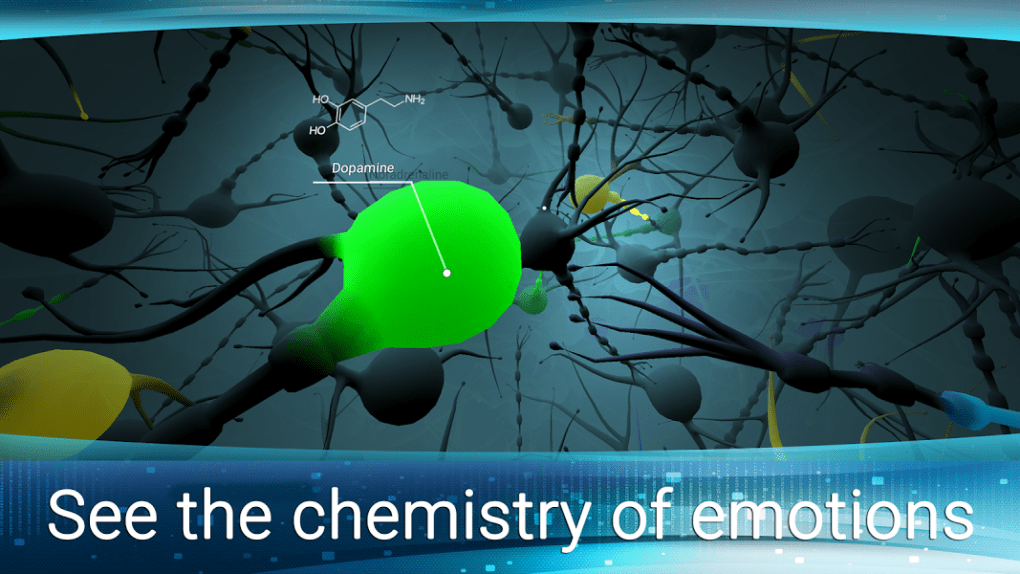
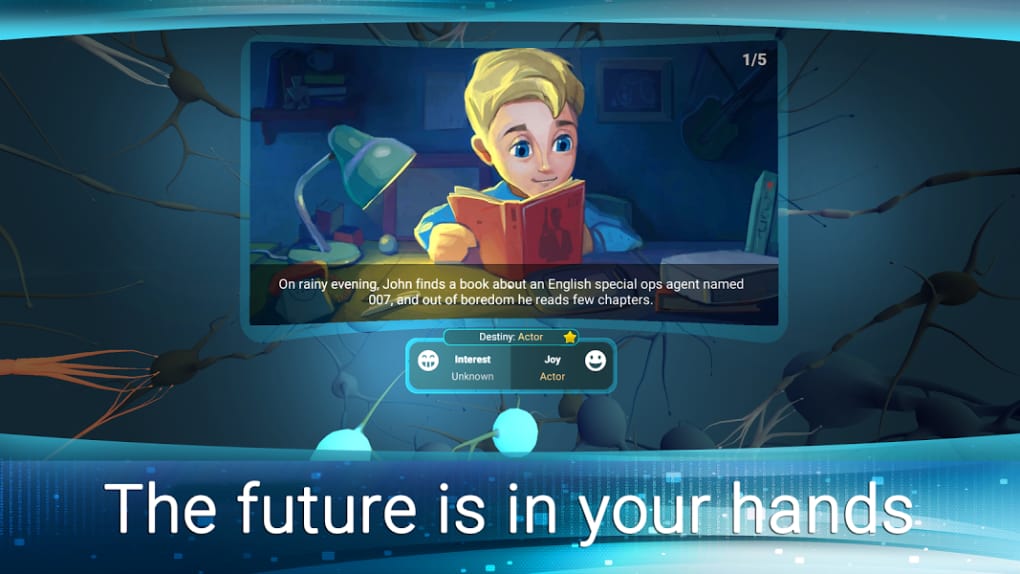
InMind 2 is a unique desktop and VR-compatible software application that immerses users in a simulated environment of the human brain. Designed as a narrative-driven strategy game, it allows players to explore the intricacies of neural activity, synaptic connections, and molecular interactions within a teenage mind named John. The game’s core premise revolves around indirect influence—players manipulate microscopic elements of the brain, such as neurotransmitters and synapses, to guide John’s development from adolescence into adulthood. This approach creates a deeply personal and introspective experience, blending gameplay with educational themes about neuroscience and emotional development.
The software targets curious individuals, students, educators, and VR enthusiasts interested in cognitive science, psychology, or interactive storytelling. It is particularly suited for users who enjoy thought-provoking experiences that challenge perceptions of identity, emotion, and free will. The game’s narrative structure encourages repeated playthroughs to uncover how subtle changes in brain chemistry can lead to significant life outcomes. While it does not provide explicit guidance on cause-and-effect relationships, the layered design invites exploration and hypothesis testing.
The developer did not provide additional background information. Platform compatibility includes a range of VR headsets such as Google Daydream View, HTC Vive, Oculus Rift, Oculus Go, Oculus Quest, Samsung Gear VR, and Pico Neo 3. This suggests the software is optimized for immersive virtual reality environments, though desktop functionality may be limited or secondary.
Key Features & Capabilities
- Immersive Brain Exploration – Navigate through a highly detailed 3D representation of the human brain, interacting with neurons, synapses, and molecular structures in real time.
- Narrative-Driven Gameplay – Influence the life trajectory of a character named John by altering brain chemistry, with outcomes shaped by decisions made at a microscopic level.
- Neuroscience-Based Themes – Learn about the biological basis of emotions, memory, and behavior through gameplay mechanics that reflect real-world scientific concepts.
- Replayable Experience – Each playthrough offers new insights into how small changes in neural activity can lead to divergent life paths.
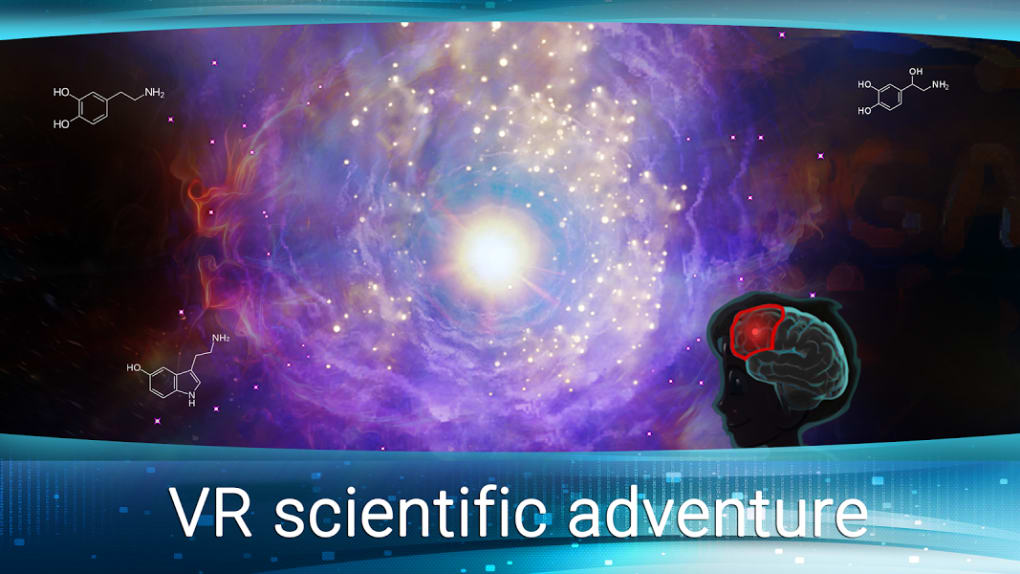
- VR-Optimized Interface – Designed for compatibility with major VR platforms, enabling full immersion in the brain’s internal environment.
Users can experience the game as both a creative simulation and an educational tool. For example, a student studying psychology might use InMind 2 to visualize how serotonin levels affect mood regulation, while a casual gamer could enjoy the puzzle-like challenge of balancing brain activity to achieve desired emotional states. The lack of explicit instructions encourages experimentation, making the software ideal for self-directed learning. The game’s focus on indirect control adds a layer of complexity, requiring players to observe long-term consequences rather than immediate results.
User Interface, Workflow & Performance
The user interface is built around a first-person, immersive perspective that aligns with VR navigation principles. Players interact with the brain’s environment using hand-tracking or controller inputs, allowing them to manipulate molecules and adjust synaptic activity. The workflow emphasizes exploration and discovery, with minimal on-screen menus or tutorials. This design prioritizes immersion but may present a learning curve for users unfamiliar with VR controls.
Navigational cues are subtle, relying on visual and auditory feedback to guide movement through neural pathways. The interface adapts dynamically to user actions, such as highlighting active synapses or displaying changes in brain activity levels. However, the developer did not specify resource usage details, so exact CPU or RAM consumption remains unknown. Performance observations are based on general software behavior patterns.
Stability appears consistent across supported VR platforms, though no official reports on crashes or bugs were provided. The software does not require constant internet connectivity, suggesting it operates primarily in offline mode. Overall, the workflow is intuitive for experienced VR users, though new users may benefit from additional guidance or practice sessions.
Compatibility & System Requirements
InMind 2 is compatible with a wide array of virtual reality devices, including Google Daydream View, HTC Vive, Oculus Rift, Oculus Go, Oculus Quest, Samsung Gear VR, and Pico Neo 3. This indicates strong support for both standalone and PC-tethered VR systems. The software is available on Steam, suggesting it is distributed through a major digital platform with robust update mechanisms.
Exact system requirements were not listed. The developer did not provide information on minimum hardware specifications, such as GPU, RAM, or processor speed. Installation size is also unspecified. Compatibility information was partially provided, focusing on VR headset models rather than general PC or desktop OS versions. Users should consult their device’s documentation to confirm support for the required software components.
Pros and Cons
Pros
- Immersive VR experience centered on neuroscience and cognitive development
- Unique gameplay that blends strategy, education, and storytelling
- Encourages repeated playthroughs and deeper understanding through exploration
- Compatible with multiple major VR platforms
- Offers a thought-provoking perspective on emotions and identity
Cons
- Limited onboarding or tutorial content for new users
- No explicit explanation of cause-and-effect relationships in gameplay
- Exact system requirements not disclosed
- May not be suitable for users uncomfortable with psychological or philosophical themes
- Desktop functionality is not clearly defined
FAQ Section
Is InMind 2 available for desktop computers?
The software is primarily designed for VR headsets, and its desktop compatibility has not been clearly specified. While it is available on Steam, which supports PC installations, full functionality may depend on VR hardware.
Does InMind 2 require an internet connection?
The game does not require constant internet access. It can be played offline after installation, though updates may need online connectivity.
Is InMind 2 safe to download and install?
As a product distributed through Steam, InMind 2 is subject to platform-level security checks. Users should download it only from official sources to ensure safety.
What types of VR headsets are supported?
Supported devices include Google Daydream View, HTC Vive, Oculus Rift, Oculus Go, Oculus Quest, Samsung Gear VR, and Pico Neo 3. Compatibility may vary based on firmware and software updates.
Can I play InMind 2 without a VR headset?
While the software is optimized for VR, it is unclear whether a non-VR mode is available. The absence of clear desktop functionality suggests VR is essential for full experience.
Final Thoughts + CTA
InMind 2 stands out as a distinctive blend of education, strategy, and immersive storytelling. Its ability to translate complex neuroscience concepts into an engaging, interactive experience makes it a valuable tool for learners and a compelling game for VR enthusiasts. While the lack of detailed tutorials and system requirements may pose challenges for some users, the game’s depth and replayability offer strong rewards for those willing to explore its layers. The philosophical undertones, though simplified, invite meaningful reflection on the nature of emotion and identity.
For users interested in VR-based learning, psychological themes, or unique gameplay mechanics, InMind 2 delivers a memorable experience. It is especially recommended for educators seeking innovative ways to teach brain function, as well as curious minds eager to visualize the inner workings of the human mind.
Download InMind 2 now






.png)
